Three tools, three different jobs
A growing software stack is easy to build. A useful one takes more thought. A project platform cannot repair a weak brief, a writing assistant cannot manage your team’s handoffs, and an audio generator cannot decide what your audience needs to hear. The useful question is where the work currently gets stuck.
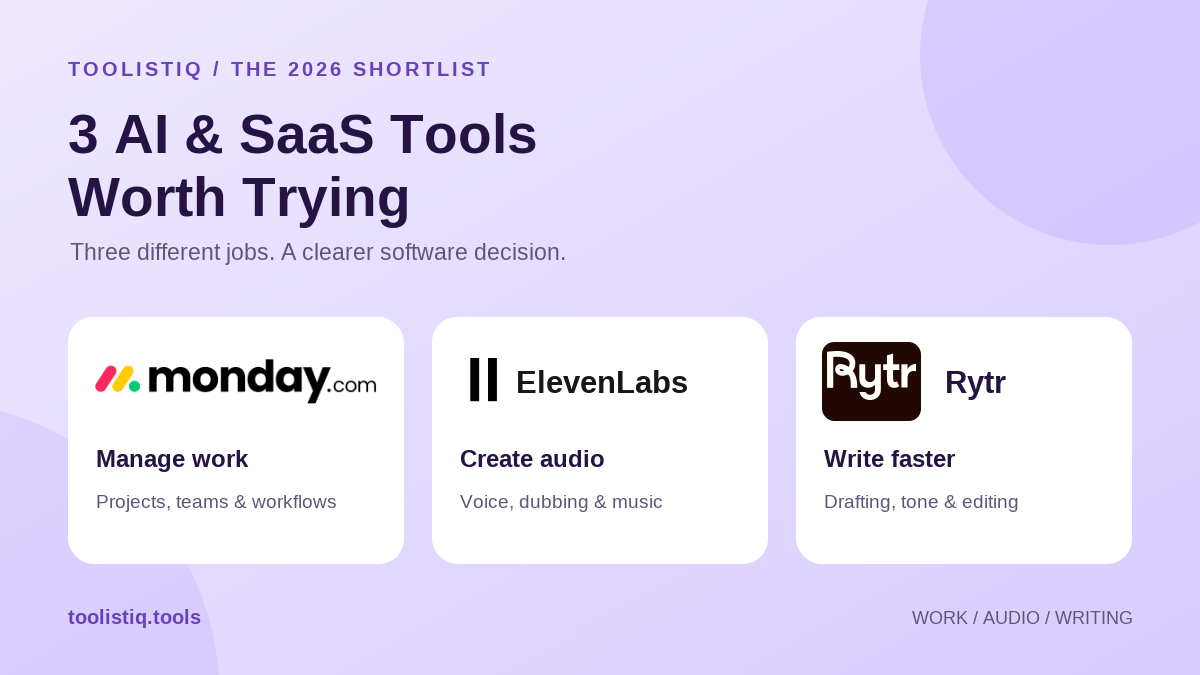
These three tools cover distinct needs. monday.com provides a place to coordinate work. ElevenLabs turns scripts and source recordings into audio workflows. Rytr helps move a writing task from a blank page toward a draft you can edit. They can support the same campaign without being alternatives to one another.
This article draws on current official product pages and documentation, checked on October 11, 2026. The recommendations are about feature fit and practical evaluation, not a hands-on benchmark or a claim that one product outperforms every competitor. Free allowances and plan features can change; verify the provider’s current terms before committing.
Start with the job you need done
If missed deadlines come from unclear ownership, start with work management. If a finished script is waiting for narration or localization, explore audio production. If recurring emails, captions, or product descriptions keep stalling at the drafting stage, start with writing assistance. Use the table to choose a first trial, rather than buying all three at once.
A shortlist at a glance
Three different jobs, three different tools. Start with the problem you need to solve; these are complementary options, not a ranking.
| Tool | Best for | Primary category | Free option | Why it stands out |
|---|---|---|---|---|
| monday.com | Teams and workflow management | Productivity / Work Management | Free plan; 14-day Pro trial | Structured work management with AI and automation |
| ElevenLabs | AI voice and audio production | Audio & Voice | Free plan: 10,000 monthly credits | Speech, voice cloning, dubbing, and creative audio in one ecosystem |
| Rytr | Fast AI-assisted writing | Writing | Free plan: 10,000 monthly characters | Focused drafting and editing with 40+ use cases |
monday.com: Best for Managing Work and Teams
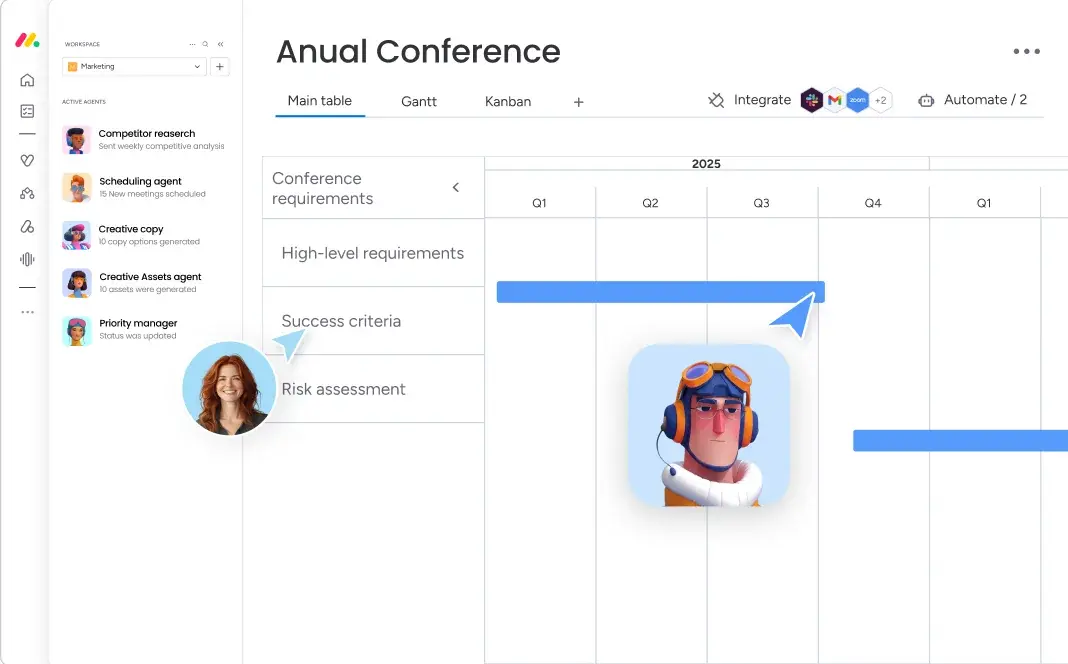
monday.com positions its platform around connected work and AI. Boards organize tasks or records, workspaces group the work, and dashboards provide a wider view. Project delivery, marketing operations, and CRM-style processes are plausible starting points when several people need shared ownership and visibility. Check the specific product: work management and monday CRM have different packaging.
Its AI capabilities span Sidekick assistance, AI blocks, AI workflows, Vibe app creation, and agents. The useful question is which capability supports your actual process. A team could evaluate an AI-assisted intake flow alongside a board for assigning work, rather than adding an AI step simply because it is available. Access and credit consumption depend on the feature and plan.
Consider a small agency coordinating client work. Start with a board containing an owner, status, deadline, and approval stage. Use a dashboard to identify delayed handoffs. Only then assess whether an automation or AI workflow can help route new requests. This sequence gives you a clear comparison between the current process and the proposed one.
monday work management has a Free plan for up to two seats and three boards, and new users can try Pro for 14 days. The current pricing page lists AI features from Basic upward; Free access does not include the full AI platform. Advanced automation and integrations also depend on paid tiers. Pricing also depends on seats and product features. During a trial, list the capabilities you use so you can see what would remain after switching to Free.
Choose monday.com when coordination is the recurring problem and someone can maintain the workflow. For a solo list of a few tasks, the setup may be more than you need. Agree on naming, ownership, and update habits before creating lots of boards; an elaborate dashboard is only useful when the underlying information stays current.
Official sources: Platform · AI platform navigation · AI workflows · Plans and trial
monday.com
- Best for
- Teams coordinating projects, client work, and repeatable cross-functional processes.
- Pricing
- Free plan available; paid plans available
Key strengths
- Flexible boards and visual work tracking
- AI capabilities connected to work context
- Useful across several team workflows
- A free entry option and Pro trial
What to consider
- Advanced automation and integrations depend on paid tiers
- Simple workflows may not justify the setup
- Seats, AI usage, and feature choices affect cost
Explore monday.com (opens in a new tab)
View Details for monday.com →ElevenLabs: Best for AI Voice and Audio Creation
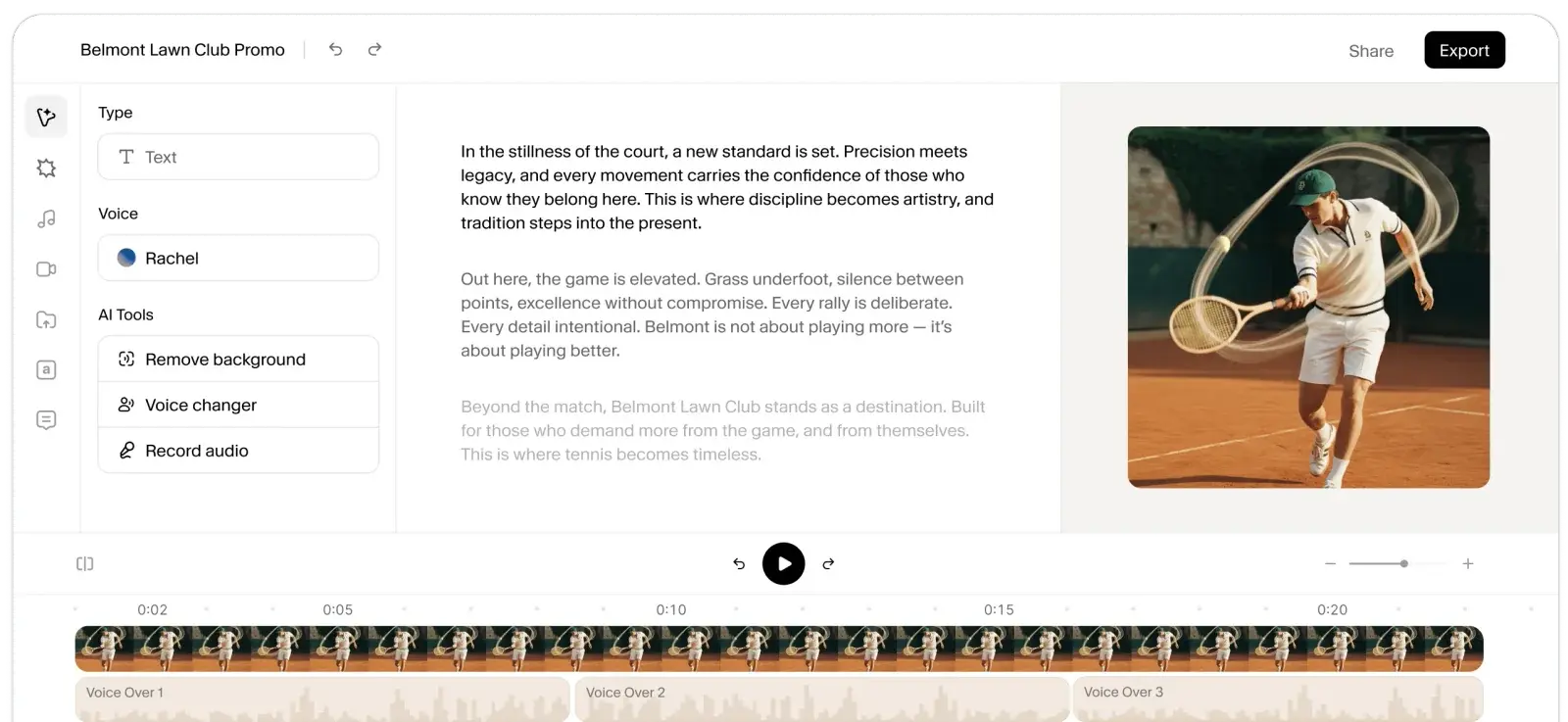
ElevenLabs covers text-to-speech, speech-to-text, voice cloning, dubbing, sound effects, and music. ElevenCreative brings creation, editing, and localization into a shared production environment. That breadth makes it relevant when audio is a regular deliverable, rather than an occasional extra attached to a writing task.
For a creator, a sensible starting point is a short narration with an approved script. Listen for pronunciation, pacing, and delivery, then revise before expanding the project. A business might instead evaluate a training clip or a localized product explainer. Use material you have permission to process, and obtain permission before cloning another person’s voice.
Dubbing v2 supports 90+ languages and is designed to carry the source speaker’s tone, timing, and emotional delivery into the translation. Treat that as a capability to evaluate, not a guarantee that every output is publication-ready. Have an appropriate language reviewer check names, technical terms, meaning, and timing before release.
Developers can access audio capabilities through APIs and SDKs. A web-based production workflow may suit a creator; API access may suit repeated processing inside a product. Decide whether you need edited assets, application integration, or both before choosing a plan. Those are different requirements even when they use the same audio models.
The Free plan currently includes 10,000 credits per month. Paid plans add a commercial license and expanded capabilities; voice-cloning access also varies by tier. Credits are a usage budget, not a fixed promise of finished minutes, and generation choices affect consumption. Estimate revisions and multiple language versions alongside the initial output. For music and other assets, confirm the rights for your intended distribution.
Official sources: ElevenCreative · Dubbing v2 · Plans and credits · Developer documentation
ElevenLabs
- Best for
- Creators, learning teams, and developers with a recurring voice or audio production need.
- Pricing
- Free plan available; paid plans available
Key strengths
- Speech, music, sound effects, and dubbing workflows
- Creative editing and developer access
- Multilingual localization capabilities
- Free credits for initial evaluation
What to consider
- Credit consumption depends on the task and model
- Commercial production generally needs a paid plan
- Repeated revisions and localization can increase cost
- Voice permissions and output review remain essential
Explore ElevenLabs (opens in a new tab)
View Details for ElevenLabs →Rytr: Best for Fast AI-Assisted Writing
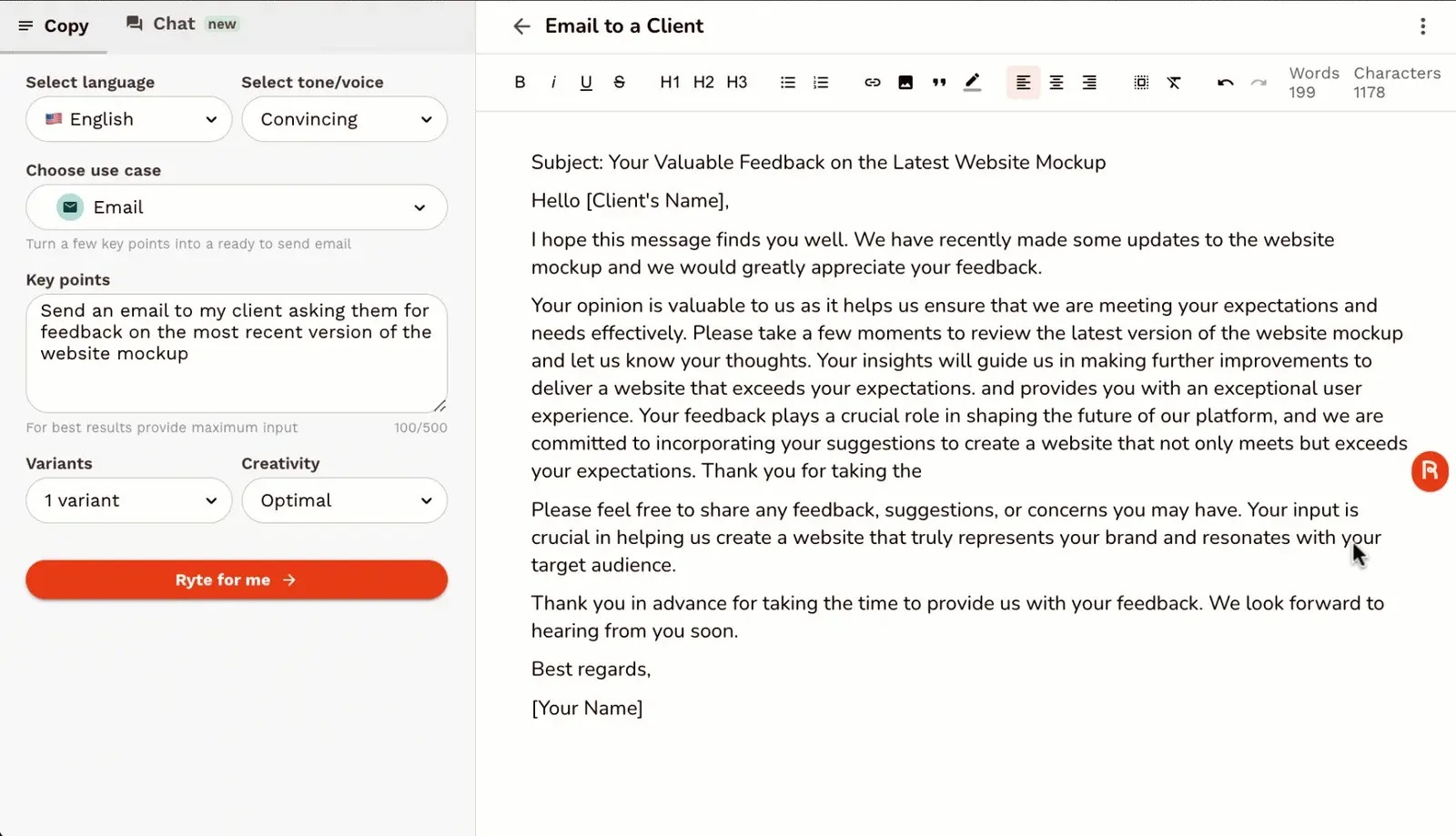
Rytr is a writing assistant with 40+ writing and editing use cases. Autocomplete, continuing a draft, rewriting, grammar improvement, and paragraph generation support the smaller tasks that appear throughout a working day. Tone controls and a Chrome extension make it relevant for short-form drafting and editing close to where the writing happens.
A freelancer could start with a client-approved brief and prepare alternative introductions or email wording. A small marketing team might use it for caption drafts, product descriptions, or replies, then apply its own brand rules. Give the assistant concrete facts and a specific audience. A template supplies structure; it does not supply evidence for claims about your product.
Rytr’s Free plan currently allows 10,000 characters each month. Characters are not words, so longer drafts and repeated generations can use the allowance quickly. Unlimited adds expanded generation, a personalized tone, and a monthly plagiarism-check allowance. Premium adds further tone options, higher input limits, and broader language support. Check the live plan comparison for the exact allowances you need.
Plagiarism checking is useful as one review step, but it does not verify facts or establish that an output is suitable to publish. Edit for clarity, check original sources, and remove invented details. For research-heavy articles, keep source gathering and verification in a separate process; a drafting assistant is not a replacement for that work.
Choose Rytr when repeated writing tasks are delaying delivery and you can supply a clear brief. Test a handful of real drafts before upgrading. Look at how much correction they need and whether the tone fits, rather than judging the tool by the number of words it generates. The simplest useful workflow is a focused draft, an informed human edit, and a final approval.
Official sources: Writing and editing features · Plan comparison · Plagiarism checking
Rytr
- Best for
- Marketers, freelancers, and small teams drafting short-form content and improving existing copy.
- Pricing
- Free plan available; paid plans available
Key strengths
- Focused writing and editing use cases
- Tone controls and browser extension
- Free allowance for trying recurring tasks
- Paid options for generation and tone matching
What to consider
- Free usage is limited to 10,000 monthly characters
- Plagiarism checks and tone matching depend on the plan
- Research-heavy content still needs source verification
- Generated copy needs factual and editorial review
Explore Rytr (opens in a new tab)
View Details for Rytr →Which one should you choose?
Choose monday.com if your biggest problem is organizing work. Choose ElevenLabs if your biggest problem is producing audio. Choose Rytr if your biggest problem is creating written content faster. They are complementary, not direct competitors, and there is no reason to subscribe to all three just to complete this shortlist.
For example, a content team might track approvals in monday.com, draft an email in Rytr, and produce narration in ElevenLabs. That is a possible workflow, not a claim of a built-in integration between all three. Keep ownership and review clear at each stage, and add a tool only when the extra handoff is justified.
Organize work
monday.com: shared ownership, progress, and repeatable workflows.
Produce audio
ElevenLabs: speech, creative audio, and localization.
Draft and edit
Rytr: focused writing assistance with a human review.
Why Toolistiq features these tools
These tools address three common software needs: organizing work, creating media, and producing written content. Our selection considers practical use cases, feature fit, pricing structure, and the setup and review a workflow requires. We do not treat every AI product as interchangeable or equate a longer feature list with a better choice.
Toolistiq currently has affiliate relationships with the three featured providers. Those relationships may generate a commission when a reader uses an eligible link; they do not amount to sponsorship or endorsement by the companies. Our product descriptions here are based on official sources, and our fit recommendations are editorial judgments rather than results of personal hands-on testing.
Before paying, define one task, a usable output, and a review standard. Compare the time saved against setup, revisions, ongoing costs, and plan restrictions. Keep a short record of what worked and what did not. A tool worth keeping is one that makes a repeatable part of your work clearer or easier without creating an equally large burden elsewhere.