When email marketing needs more than a send button
A signup is only the beginning of a marketing journey. Someone may need a welcome message, a useful resource and a follow-up that reflects what they actually did. GetResponse combines email marketing with audience capture, automation and plan-dependent conversion tools. It is most interesting when the work spans several of those stages rather than one isolated newsletter.
That breadth makes plan selection important. A product page describing funnels or advanced segmentation does not mean every subscription includes the same access. This review distinguishes the official feature documentation from our own buying advice. We have not opened a production campaign, measured deliverability or run a conversion experiment, and no provider testimonial is treated as a result you should expect.
Campaigns, workflow elements and funnels do different jobs
The official automation documentation describes conditions, actions and filters as the building blocks of a journey. A condition identifies a qualifying event, an action performs the next task, and a filter narrows a group. GetResponse also markets conversion funnels that combine lead capture and follow-up stages. These capabilities are useful to evaluate together, but each stage still needs a meaningful purpose.
For a course business, the scenario might be registration followed by information that helps a prospective student decide. For a small store, it might be a permissioned follow-up after a relevant event. Start by identifying the actual event source and the correct audience. If the source system sends incomplete or late information, an elaborate automation can multiply confusion instead of reducing it.
Official sources: Marketing automation · Conditions, actions and filters · Conversion funnels
Build a small journey before evaluating a large funnel
The documented template route is Tools, Automation, then Create workflow. Choose a template only after you can describe its purpose without product terminology. Configure the required elements and inspect the conditions and actions before publishing. A reasonable pilot uses an address you control, one welcome message and one clearly defined branch rather than a real customer list.
Trace both paths, including the person who does not take the expected action. Decide whether re-entry is allowed, what ends the journey and what happens if a contact unsubscribes. Check the event-to-message timing with the relevant integration documentation. These are proposed evaluation steps based on the official setup model; this article does not claim that we executed them or observed a particular result.
Qualify
Identify the signup source and intended audience.
Respond
Configure a useful message and its conditions.
Exit
Verify stopping, exclusion and re-entry behavior.
Official sources: Building from templates
Pricing and the workflow gate that matters
On October 19, 2026 the public default monthly offer showed Starter at $19, Marketer at $59 and Creator at $69, with Enterprise priced by quote. The page lists one custom automation workflow in Starter, versus unlimited workflows in Marketer and Creator. It also advertises a 14-day premium trial. Treat these as a dated default quote, not a price promise for every list size. Regional versions can show different currencies and local amounts; compare the actual quote rather than converting these figures into a promise for your country.
The practical comparison is the smallest plan that fully supports your scenario. Estimate list growth, the number of maintained workflows and the people who need access. Ask which creator or commerce functions you genuinely need before choosing a higher tier. Compare a month-to-month evaluation with the total annual commitment, and confirm the post-trial limits and renewal terms in the account offer.
| Plan | Monthly USD | Scope |
|---|---|---|
| Starter | $19/month | One custom automation workflow |
| Marketer | $59/month | Unlimited workflows; evaluate funnel and commerce needs |
| Creator | $69/month | Creator tools have separate capacity limits |
| Enterprise | Custom | Requirements and terms agreed directly |
USD public-offer figures, not annual equivalents. Regional pages may show different currency amounts; confirm list size, local taxes and the checkout offer. Pricing is subject to change.
Official sources: Pricing and trial details
The right buyer has an owner for the whole journey
GetResponse is a more plausible fit when one marketing owner can define the audience, content and follow-up rules together. A small education business or a team running repeated campaigns may benefit from evaluating these stages as one process. Before subscribing, write down who approves copy, who maintains the workflow and who responds when a customer receives the wrong message.
Consider a narrower email tool if most of your work is composing a periodic newsletter with a simple welcome email. Conversely, if your organization already has a sophisticated CRM and event pipeline, judge GetResponse on integration fit rather than its standalone demonstration. The right choice may be keeping the existing system and improving the content or event quality instead of migrating.
Breadth can reduce handoffs—and increase configuration work
A shared platform can make it easier to trace a journey without assembling every component independently. The corresponding responsibility is to understand the rules you configure. A template is a starting point, not evidence that your audience should receive the same sequence. Keep an inventory of live workflows, their owners and the reason each contact is allowed to enter.
Do not judge a pilot solely on an attractive email or a high-level dashboard. Review mobile readability, destination accuracy, exclusion rules and the ability to pause a mistake. Maintain source-of-truth decisions for customer fields so that an integration does not repeatedly overwrite an intentional change. No product can resolve an undefined marketing policy on your behalf.
MailerLite and an existing CRM are useful comparison points
MailerLite provides a relevant email-focused comparison for a team deciding how much journey complexity it needs. Its current plan structure differs from older reviews, so compare the two live offers against the same audience and send schedule. Use Toolistiq’s tool profiles to reach the current providers instead of comparing outdated introductory prices.
If lead ownership, sales tasks or service history drives the project, include your CRM requirements separately. Write one scenario that follows a person from signup to a legitimate next action, then identify which system owns each step. Select the platform that reduces ambiguity and review work for that scenario, rather than the one whose feature list contains the most entries.
Explore the official product workflow
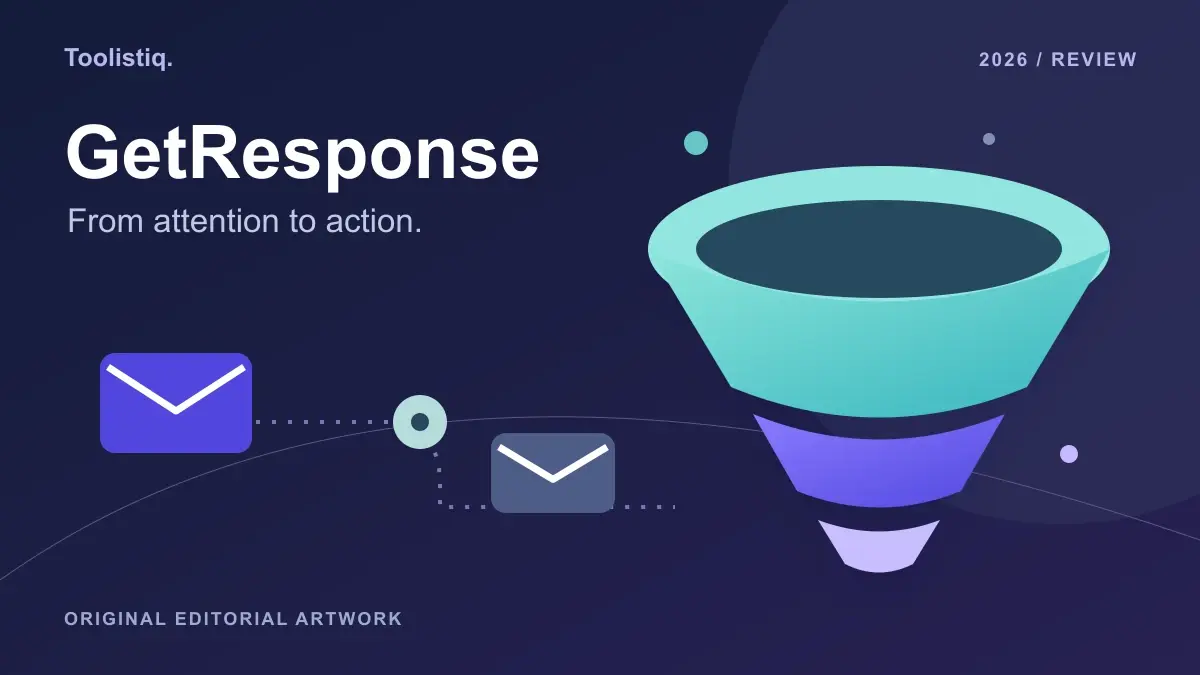
The cover is an original Toolistiq editorial illustration, not a product interface. This review draws on public documentation and provider materials rather than hands-on testing. Explore the official walkthroughs below, then use the practical checklist above to assess the workflow against your needs.
Official sources: Marketing automation · Conditions, actions and filters · Conversion funnels
Our editorial verdict
GetResponse deserves a place on a marketing shortlist when email campaigns and customer journeys need to work together. Its breadth is useful only if the selected plan includes the steps you will actually use. For an occasional newsletter, compare a narrower solution before paying for funnel, commerce or creator features you cannot yet justify.
Use the catalog profile below as a route to the provider and a starting point for your own evaluation. Check the current plan, included features and renewal terms before committing. A qualified trial should answer the specific questions raised here; an attractive demonstration alone is not a reason to buy.
GetResponse
- Best for
- Marketing teams evaluating email, audience journeys and conversion-funnel work together.
- Pricing
- The official-source pricing snapshot is explained above. Check the provider for the current quote, billing period, taxes and included usage.
Key strengths
- Campaign, landing-page and automation functions can be evaluated in one platform.
- Documented workflow elements support deliberate branching and follow-up rules.
- Separate plan tiers make it possible to scope newsletter, automation and creator needs.
What to consider
- Starter’s workflow allowance is not equivalent to unlimited marketing automation.
- List size, renewal basis and feature gates materially affect the total cost.
- The product still requires consent management and careful integration testing.
Explore GetResponse (opens in a new tab)
Affiliate link: Toolistiq may earn a commission from a qualifying purchase. This does not change the editorial verdict.
View Details for GetResponse →